We Use CookiesWe use cookies to enhance the security, performance, functionality and for analytical and promotional activities. By continuing to browse this site you are agreeing to our privacy policy

10 Best Kwikset Smart Locks 2026 in the United States
How do we rank products for you?

Our technology thoroughly searches through the online shopping world, reviewing hundreds of sites. We then process and analyze this information, updating in real-time to bring you the latest top-rated products. This way, you always get the best and most current options available.

headphones-stars

Our Top Picks

#1

Winner

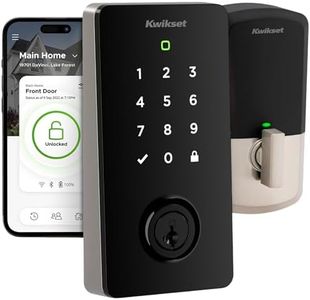
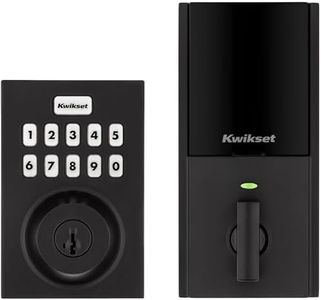
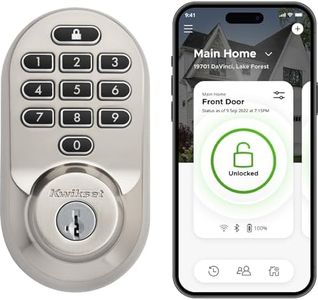
Kwikset Halo Select Plus Satin Nickel Touchscreen Apple Home Keys Tap-to-Unlock, Wi-Fi and Matter Enabled Smart Lock Deadbolt with Door Status Sensor and Intrusion Detection

Rating
10.0
Chosen by1,279
Connectivity
Keypad vs. Keyless
Integration with Smart Home Systems

Most important from
39 reviews

Connectivity
You must choose between Wi-Fi or Matter mode, as simultaneous use is not supported, which can limit flexibility.
Keypad vs. Keyless
Unlocking via phone or watch delivers seamless, keyless entry that's highly satisfying.
Integration with Smart Home Systems
Integration with the Apple Home Key and Matter protocol works smoothly, elevating smart home connectivity.

The Kwikset Halo Select Plus is a modern smart lock designed for users who want convenient and secure keyless home access. It offers multiple ways to unlock your door, including a touchscreen keypad, app control, voice commands, and a unique tap-to-unlock feature using Apple Home Keys with NFC technology. This makes it especially handy for iPhone or Apple Watch users who want quick entry without fumbling for keys.

The lock supports Wi-Fi and Matter protocols, allowing smooth integration with popular smart home platforms like Apple HomeKit, Amazon Alexa, Google Home, and SmartThings. You can remotely lock or unlock your door, share access codes with guests, and receive alerts about door status or possible intrusions, adding peace of mind. The built-in auto-lock and geofencing features enable the lock to secure your door automatically or unlock it as you approach, enhancing convenience. Battery life relies on included alkaline batteries, which is standard but means you need to monitor for replacements to avoid lockouts.

The lock is solidly built with metal and includes an alarm for extra security, though some users might find the touchscreen sensitive or tricky in bright sunlight. The ability to share up to 250 access codes is generous compared to many locks, making it suitable for households with frequent visitors or property managers. The Halo Select Plus is well suited for homeowners who want a feature-rich, user-friendly smart lock with strong Apple ecosystem support and flexible access options, while considering battery upkeep and touchscreen sensitivity.

Rating
10.0
Chosen by1,279
Connectivity
Keypad vs. Keyless
Integration with Smart Home Systems

Most important from
39 reviews

Connectivity
You must choose between Wi-Fi or Matter mode, as simultaneous use is not supported, which can limit flexibility.
Keypad vs. Keyless
Unlocking via phone or watch delivers seamless, keyless entry that's highly satisfying.
Integration with Smart Home Systems
Integration with the Apple Home Key and Matter protocol works smoothly, elevating smart home connectivity.
#2

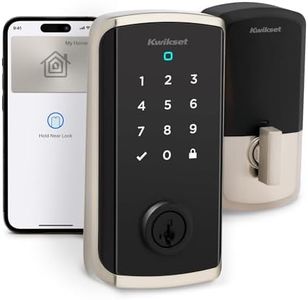
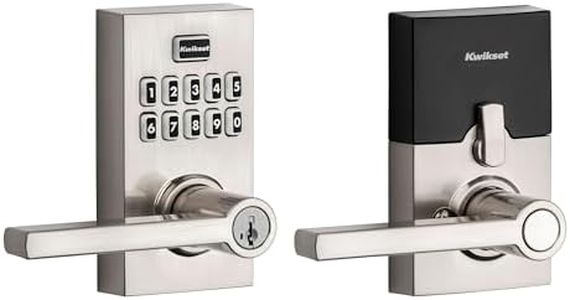
Kwikset SmartCode 916 Z-Wave Smart Lock, Keyless Entry Ring Compatible Door Lock, Touchscreen Electronic Deadbolt, SmartKey Re-Key Security, Smart Hub Required, Contemporary Polished Chrome

Rating
9.1
Connectivity
Keypad vs. Keyless
Auto-Lock and Unlock

Most important from
272 reviews

Connectivity
Connectivity can be inconsistent, with some units frequently disconnecting from smart hubs, requiring resets or troubleshooting.
Keypad vs. Keyless
Keyless entry is incredibly convenient, especially for activities like running or walking, eliminating the need to carry physical keys.
Auto-Lock and Unlock
The motor makes a noticeable buzzing noise during operation, taking about three seconds to cycle the deadbolt.
Battery Life
Battery life varies significantly; some experience up to a year on four AA batteries, while others report needing replacements every few weeks, especially with heavy usage or connectivity issues.
Integration with Smart Home Systems
The lock integrates well within advanced home automation systems using Z-Wave technology, but requires a compatible hub for remote control and smart features.
Security Features
The lock’s ANSI Grade 2 rating provides solid protection against casual intruders, though it’s not designed to withstand heavy forced entry.

The Kwikset SmartCode 916 is a polished chrome smart lock designed for keyless entry with a touchscreen keypad, making it easy and quiet to lock and unlock your door. It supports up to 30 unique user codes, which is great for giving access to family members, friends, or service providers without sharing physical keys. The lock includes a SmartKey Re-Key feature, enhancing security by allowing you to quickly rekey the lock if needed. It connects through Z-Wave technology, so to control it remotely or integrate it with your smart home system, a compatible smart hub is required. This lock works with popular platforms like Amazon Alexa, Google Assistant, Ring, and SmartThings, enabling voice control and remote management once set up. An auto-lock feature can be programmed to secure your door about 30 seconds after closing, adding convenience and peace of mind.

Battery life is about 12 months using four AA batteries, which are included, so you won’t need frequent replacements. Installation is straightforward and can be done with a screwdriver, fitting standard door thicknesses. On the downside, needing a separate Z-Wave hub might be inconvenient if you don't already have a smart home system in place. Also, while the keypad is illuminated and user-friendly, it requires manual code entry, which some might find slower compared to fully keyless or biometric options. The product has a solid mechanical lifetime warranty and a one-year electronics warranty, which shows Kwikset's confidence in its durability.

This smart lock is a practical choice for those looking to upgrade their front door with reliable keyless access and smart home compatibility, especially if they already use Z-Wave-based systems. It balances security and convenience, though it does rely on a hub and manual code input for smart features.

Rating
9.1
Connectivity
Keypad vs. Keyless
Auto-Lock and Unlock

Most important from
272 reviews

Connectivity
Connectivity can be inconsistent, with some units frequently disconnecting from smart hubs, requiring resets or troubleshooting.
Keypad vs. Keyless
Keyless entry is incredibly convenient, especially for activities like running or walking, eliminating the need to carry physical keys.
Auto-Lock and Unlock
The motor makes a noticeable buzzing noise during operation, taking about three seconds to cycle the deadbolt.
Battery Life
Battery life varies significantly; some experience up to a year on four AA batteries, while others report needing replacements every few weeks, especially with heavy usage or connectivity issues.
Integration with Smart Home Systems
The lock integrates well within advanced home automation systems using Z-Wave technology, but requires a compatible hub for remote control and smart features.
Security Features
The lock’s ANSI Grade 2 rating provides solid protection against casual intruders, though it’s not designed to withstand heavy forced entry.
#3

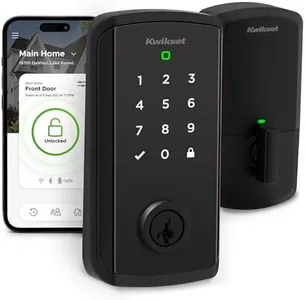
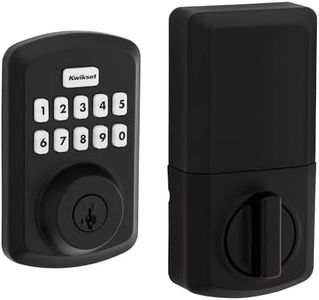
Kwikset Powerbolt 250 10-Button Keypad Matte Black Transitional Electronic Deadbolt Door Lock, Featuring Convenient Keyless Entry, Customizable User Codes and Auto-Locking

Rating
8.8
Keypad vs. Keyless
Battery Life
Security Features

Most important from
1884 reviews

Keypad vs. Keyless
Value for money with the convenience of not carrying a key every time.
Battery Life
Easy to program, responsive buttons, and visual color warnings for battery health make it user-friendly.
Security Features
Smart rekeying eliminates the need to replace the locking door handle or manage two separate keys.

The Kwikset Powerbolt 250 is a smart lock designed to enhance convenience and security for homeowners. One of its primary strengths is the keyless entry feature, which allows users to lock and unlock their doors without needing physical keys, making it perfect for those who prefer modern convenience. The customizable user codes, including 25 user codes and 5 one-time codes, offer flexibility for different entry needs, whether it's for family members, visitors, or service providers.

The auto-lock feature is another notable strength, providing peace of mind by automatically securing the door after a set period, which is adjustable from 30 seconds to 10 minutes. Additionally, the intrusion alert feature enhances security by sounding an alarm and disabling the keypad after three incorrect code attempts, deterring potential tampering. The lock's easy low light code entry, with bright LED lights illuminating the keypad, is particularly useful for nighttime access. The vacation mode adds an extra layer of security by disabling the keypad when you're away from home for an extended period. SmartKey Security technology allows users to re-key the lock themselves, adding an extra level of protection against advanced break-in techniques.

The battery life of at least 12 months minimizes the hassle of frequent replacements, although it's important to note that the required AA batteries are not included. Installation is straightforward with just a screwdriver, and the BILT app provides interactive instructions for a smooth setup. However, the lack of integration with smart home systems might be a downside for users looking to connect the lock with other smart devices in their home. The Kwikset Powerbolt 250 is well-suited for those prioritizing ease of use, security, and straightforward installation, but it may not fully meet the needs of those seeking advanced connectivity options.

Rating
8.8
Keypad vs. Keyless
Battery Life
Security Features

Most important from
1884 reviews

Keypad vs. Keyless
Value for money with the convenience of not carrying a key every time.
Battery Life
Easy to program, responsive buttons, and visual color warnings for battery health make it user-friendly.
Security Features
Smart rekeying eliminates the need to replace the locking door handle or manage two separate keys.

Buying Guide for the Best Kwikset Smart Locks

Choosing the right Kwikset smart lock for your home can greatly enhance your security and convenience. Smart locks offer keyless entry, remote access, and integration with other smart home devices. To find the best fit for your needs, it's important to understand the key specifications and how they align with your lifestyle and security requirements.
ConnectivityConnectivity refers to how the smart lock communicates with your other devices, such as your smartphone or smart home system. Common connectivity options include Bluetooth, Wi-Fi, and Z-Wave. Bluetooth is great for short-range control and is often more secure, but it limits remote access. Wi-Fi allows for remote access and control from anywhere, but it can be more vulnerable to hacking. Z-Wave is a popular choice for smart home integration, offering a good balance of security and remote access. Choose Bluetooth if you prioritize security and don't need remote access, Wi-Fi if you want to control your lock from anywhere, and Z-Wave if you have a smart home system and want seamless integration.
Keypad vs. KeylessSome smart locks come with a keypad for entering a code, while others are completely keyless and rely on your smartphone or a key fob. A keypad can be convenient for guests or family members who don't have access to your smartphone app, and it provides a backup entry method if your phone battery dies. Keyless models offer a sleek design and eliminate the need for physical keys or codes. If you frequently have guests or want a backup entry method, a keypad model might be best. If you prefer a minimalist design and rely on your smartphone, a keyless model could be the right choice.
Auto-Lock and UnlockAuto-lock and unlock features automatically secure your door when you leave and unlock it when you approach. This can be very convenient and enhance security by ensuring your door is always locked when it should be. Some models use geofencing to detect your location, while others rely on sensors. If you often forget to lock your door or want the convenience of hands-free entry, look for a model with reliable auto-lock and unlock features. Consider how well the feature works with your daily routine and whether it integrates smoothly with your other smart home devices.
Battery LifeSmart locks are powered by batteries, and battery life can vary significantly between models. Longer battery life means less frequent battery changes, which can be more convenient. Most smart locks will alert you when the battery is low, but it's still important to consider how often you'll need to replace them. Look for models with a battery life of at least six months to a year. If you don't want the hassle of frequent battery changes, choose a model known for its long battery life and consider keeping spare batteries on hand.
Integration with Smart Home SystemsIntegration with other smart home systems allows your smart lock to work seamlessly with devices like smart lights, security cameras, and voice assistants. This can enhance your overall smart home experience and provide additional security features. Check if the smart lock is compatible with popular systems like Amazon Alexa, Google Assistant, Apple HomeKit, or Samsung SmartThings. If you already have a smart home system, choose a lock that integrates well with it. If you're planning to build a smart home, consider which ecosystem you want to use and select a compatible lock.
Security FeaturesSecurity features are crucial for a smart lock, as they protect your home from unauthorized access. Look for features like encryption, tamper alarms, and two-factor authentication. Encryption ensures that your data is secure, while tamper alarms alert you if someone tries to break in. Two-factor authentication adds an extra layer of security by requiring a second form of verification. If security is your top priority, choose a model with robust security features and check for certifications from reputable organizations like ANSI or BHMA.

FAQ