We Use CookiesWe use cookies to enhance the security, performance, functionality and for analytical and promotional activities. By continuing to browse this site you are agreeing to our privacy policy

10 Best Die Cutting Machines 2026 in the United States
How do we rank products for you?

Our technology thoroughly searches through the online shopping world, reviewing hundreds of sites. We then process and analyze this information, updating in real-time to bring you the latest top-rated products. This way, you always get the best and most current options available.

headphones-stars

Our Top Picks

#1

Winner

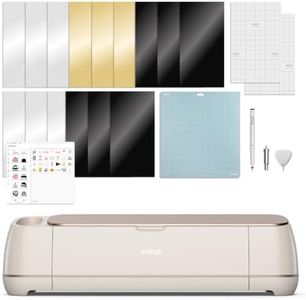
Cricut Maker 4 - Smart Cutting Machine (Seashell) | Digital Content Bundle - Includes 30 Images in Design Space App

Rating
10.0
Chosen by1,110
Material Compatibility
Software Compatibility
Ease of Use

Most important from
560 reviews

Material Compatibility
Incredibly fast and precise, delivering clean, professional cuts on everything from vinyl to thicker materials.
Software Compatibility
Setup is straightforward and the software is intuitive, making complex designs easy to handle.
Ease of Use
Versatility shines through with the ability to work beautifully on detailed projects, saving significant time.

The Cricut Maker 4 is a versatile and user-friendly smart cutting machine designed to handle a wide variety of crafting projects. It offers a large cutting area (about 270 square inches), which means you can work on bigger designs without needing to reposition your material frequently. This machine is capable of cutting over 300 materials, from delicate paper and vinyl to tougher stuff like leather and wood, making it great for both simple and advanced projects. The cutting force is strong, allowing precise cuts even on thicker materials.

One of the standout features is its automatic operation paired with the easy-to-use Design Space app. You don’t need any prior design skills to create personalized projects, thanks to a vast library of images and fonts included with the machine and an additional content bundle. The software also supports Print-Then-Cut with most inkjet printers, letting you add full-color designs to your projects. The Cricut Maker 4 supports various functions beyond cutting, including drawing, engraving, scoring, and more, which adds to its creative potential. It comes with essential accessories like blades, pens, mats, and a material sampler, helping you get started right away.

Portability is moderate; while not extremely heavy or bulky, it’s a desktop device meant for craft spaces rather than frequent travel. The plastic build keeps it lightweight but durable enough for regular use. Some users might find the price on the higher side, considering the included extras and capabilities, but its performance justifies the investment for serious crafters. This machine is well suited for hobbyists and makers looking for a reliable, multi-functional die-cutting tool that’s easy to use and compatible with a wide range of materials and designs, though it may exceed the needs of casual users who only require basic cutting functions.

Rating
10.0
Chosen by1,110
Material Compatibility
Software Compatibility
Ease of Use

Most important from
560 reviews

Material Compatibility
Incredibly fast and precise, delivering clean, professional cuts on everything from vinyl to thicker materials.
Software Compatibility
Setup is straightforward and the software is intuitive, making complex designs easy to handle.
Ease of Use
Versatility shines through with the ability to work beautifully on detailed projects, saving significant time.
#2

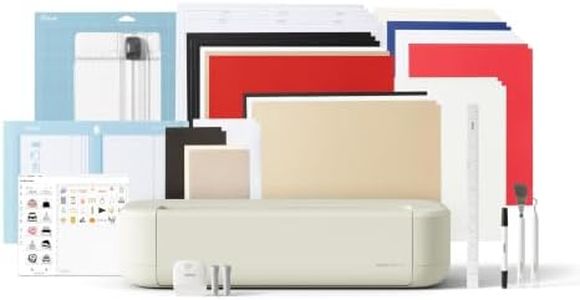
Cricut Explore® 5 Deluxe Bundle + Digital Content, Taupe - Precise Cutting Machine - Works with 100+ Materials - Sleek, Simplified Design - Includes Supplies for 100 Projects + Bonus Digital Content

Rating
10.0
Software Compatibility
Material Compatibility
Ease of Use

Most important from
229 reviews

Software Compatibility
Wireless Bluetooth connectivity paired with robust software allows seamless importing and designing, whether using Adobe files or creating within the app.
Material Compatibility
The machine delivers clean, precise cuts across a wide variety of materials, from paper and felt to vinyl and cardstock.
Ease of Use
The Cricut Explore 5 makes crafting intuitive and accessible, drastically simplifying the creative process without the frustration of complicated software.

The Cricut Explore 5 Deluxe Bundle is a versatile and user-friendly die-cutting machine ideal for crafters who want to create a variety of projects like decals, cards, and personalized apparel. It offers a 12-inch cutting width, which is ample for most craft needs, and can precisely cut over 100 materials including vinyl, cardstock, iron-on, and printable media. The machine works semi-automatically and connects wirelessly via Bluetooth to an easy-to-use app, making the design process accessible even if you’re new to crafting.

One of its strengths is the included bundle that provides enough supplies for up to 100 projects, plus extra digital content, so you can start creating right away without needing to buy much more. Its compact size and sleek design make it fairly portable and suitable for small craft spaces. However, it relies on compatible software and digital devices for operation, which might be a hurdle if you prefer completely manual control or don’t want to use apps. Also, while it handles a wide variety of materials, cutting very thick items requires buying extra tools separately.

The machine scores well for precision and ease but is best suited for hobbyists and casual users rather than heavy-duty or industrial crafting. For those seeking a reliable, all-in-one starter kit with plenty of creative options and straightforward operation, this is a solid choice.

Rating
10.0
Software Compatibility
Material Compatibility
Ease of Use

Most important from
229 reviews

Software Compatibility
Wireless Bluetooth connectivity paired with robust software allows seamless importing and designing, whether using Adobe files or creating within the app.
Material Compatibility
The machine delivers clean, precise cuts across a wide variety of materials, from paper and felt to vinyl and cardstock.
Ease of Use
The Cricut Explore 5 makes crafting intuitive and accessible, drastically simplifying the creative process without the frustration of complicated software.
#3

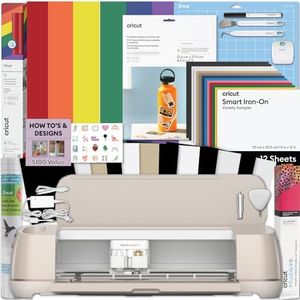
Cricut Maker 4 Cutting Machine Ultimate Beginner Sticker Making Bundle - Print Then Cut Machine with Waterproof Sticker Paper & Vinyl for Custom Stickers & Small Business, Seashell Die-Cutting Machine

Rating
9.1
Ease of Use
Software Compatibility
Material Compatibility

Most important from
119 reviews

Ease of Use
Super easy to set up and use, making it perfect for beginners.
Software Compatibility
Supports wireless connection to computers, enhancing convenience and flexibility.
Material Compatibility
The included bundle provides a great variety of materials to try right away.

The Cricut Maker 4 Cutting Machine is an electronic die-cutting machine designed especially for beginners and small business owners who want to create custom stickers and decals with ease. It operates automatically, meaning you don’t have to manually cut designs, which makes it very user-friendly. One of its standout features is the “Print Then Cut” function, allowing you to print your designs on an inkjet printer and then have the machine cut them precisely. This is perfect for making professional-quality, water-resistant stickers suitable for water bottles, phone cases, and packaging.

This bundle comes with everything you need to start, including printable sticker paper, adhesive vinyl, and tools—so you can jump right into crafting without hunting for extra supplies. The Cricut Maker 4 works with computers and mobile devices through Cricut’s Design Space software, which is intuitive and compatible with various materials beyond just paper and vinyl, giving you flexibility in your projects.

The Maker 4 is known for handling a wide range of materials, from delicate paper to tougher vinyl, making it versatile. Its plastic build and included tools make it portable enough to move around, though it is larger than simple manual machines. The one-year warranty also offers peace of mind. Because it relies on software and an inkjet printer for the print-then-cut feature, you’ll need some basic familiarity with these tools. For those who want a fully manual or simpler device without software, this might feel a bit complex. Additionally, the price point is usually higher than basic manual machines, reflecting its advanced features. This machine is a strong choice for anyone looking to start a small sticker-making business or hobby with a versatile, easy-to-use electronic machine that supports various materials and detailed designs.

Rating
9.1
Ease of Use
Software Compatibility
Material Compatibility

Most important from
119 reviews

Ease of Use
Super easy to set up and use, making it perfect for beginners.
Software Compatibility
Supports wireless connection to computers, enhancing convenience and flexibility.
Material Compatibility
The included bundle provides a great variety of materials to try right away.

Buying Guide for the Best Die Cutting Machines

Choosing the right die-cutting machine can be a game-changer for your crafting or business projects. Die-cutting machines are used to cut shapes out of various materials like paper, fabric, and even thin metal. The right machine can help you achieve precise cuts and intricate designs with ease. To make an informed decision, it's important to understand the key specifications and how they align with your needs. Here are the main specs to consider when selecting a die-cutting machine.
Cutting WidthCutting width refers to the maximum width of material that the machine can handle. This is important because it determines the size of the projects you can work on. Machines with a smaller cutting width (around 6 inches) are suitable for card-making and small crafts, while those with a larger cutting width (12 inches or more) are better for larger projects like scrapbooking and fabric cutting. Choose a cutting width based on the typical size of your projects.
Cutting ForceCutting force is the amount of pressure the machine applies to cut through materials. This is crucial for determining the types of materials you can work with. Lower cutting force (around 200 grams) is sufficient for paper and thin materials, while higher cutting force (up to 1000 grams or more) is needed for thicker materials like leather or chipboard. Consider the materials you plan to use most frequently when evaluating cutting force.
Manual vs. ElectronicDie-cutting machines come in manual and electronic versions. Manual machines require you to turn a crank to cut the material, which can be more affordable and portable. Electronic machines use a motor to automate the cutting process, offering more precision and the ability to handle complex designs. If you prefer hands-on crafting and portability, a manual machine might be best. For more intricate and high-volume projects, an electronic machine is ideal.
Software CompatibilityFor electronic die-cutting machines, software compatibility is a key factor. The software allows you to design and customize your cuts. Some machines come with proprietary software, while others are compatible with popular design programs. Ensure the software is user-friendly and meets your design needs. If you are tech-savvy and enjoy creating custom designs, look for machines with robust software options.
Material CompatibilityDifferent die-cutting machines are compatible with various materials. Some machines are designed specifically for paper and cardstock, while others can handle fabric, vinyl, and even thin metal. Check the machine's specifications to see what materials it can cut. Choose a machine that aligns with the materials you plan to use most often to ensure versatility and efficiency in your projects.
PortabilityPortability refers to how easy it is to move and store the die-cutting machine. Smaller, manual machines are generally more portable and can be easily transported to crafting events or stored in small spaces. Larger, electronic machines may be heavier and require a dedicated workspace. Consider your crafting environment and whether you need a machine that can be easily moved or if you have a permanent space for a larger machine.
Ease of UseEase of use encompasses how user-friendly the machine is, including setup, operation, and maintenance. Some machines come with detailed instructions and online tutorials, making them easier for beginners. Others may have a steeper learning curve but offer more advanced features. Think about your comfort level with new technology and how much time you are willing to invest in learning to use the machine effectively.

FAQ